Get the app

reDiffusion

All your sources,
in one app.

  • iPhone
  • iPad
  • Mac
  • Apple TV

Live TV. On Demand. Synced across your devices.

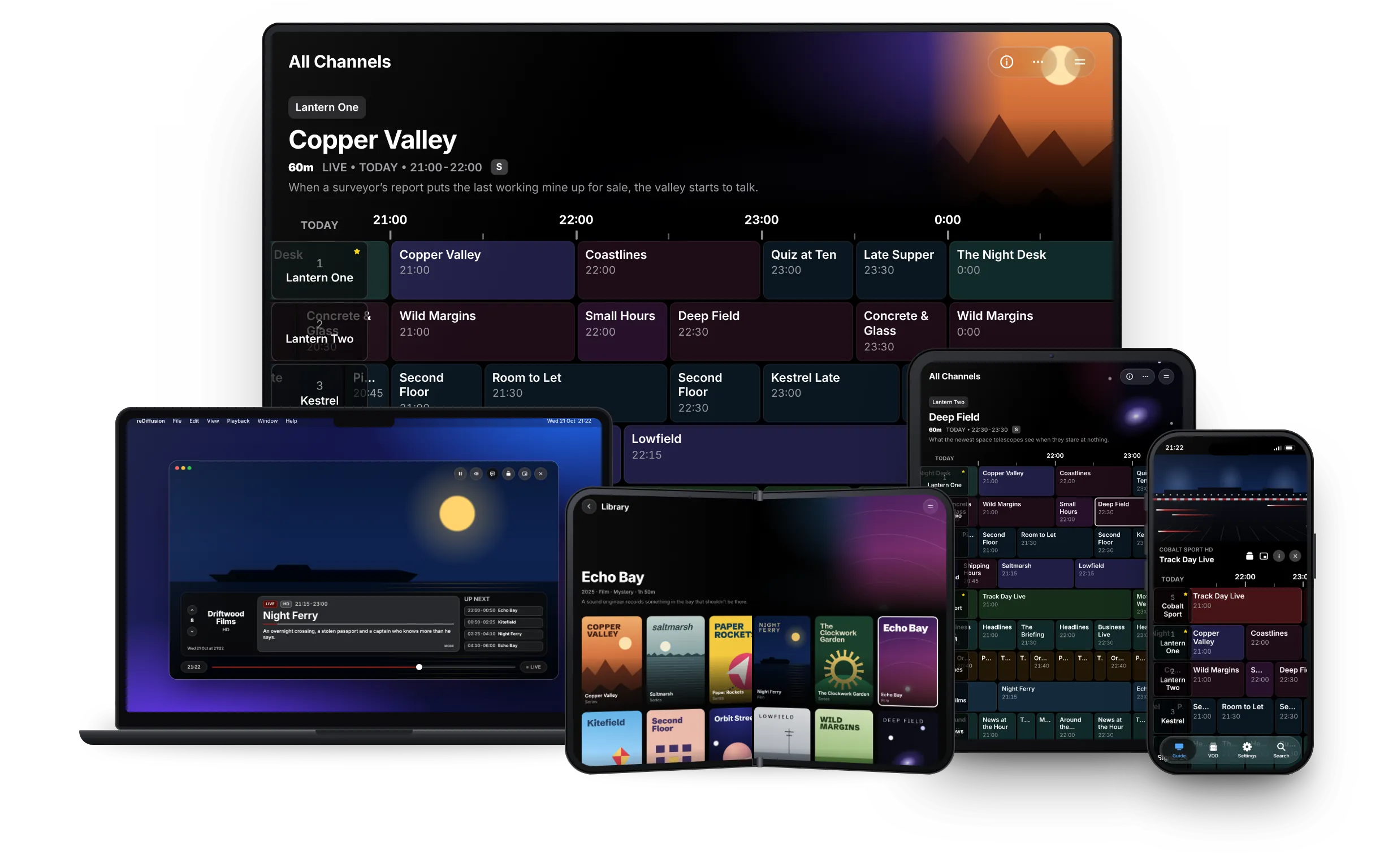
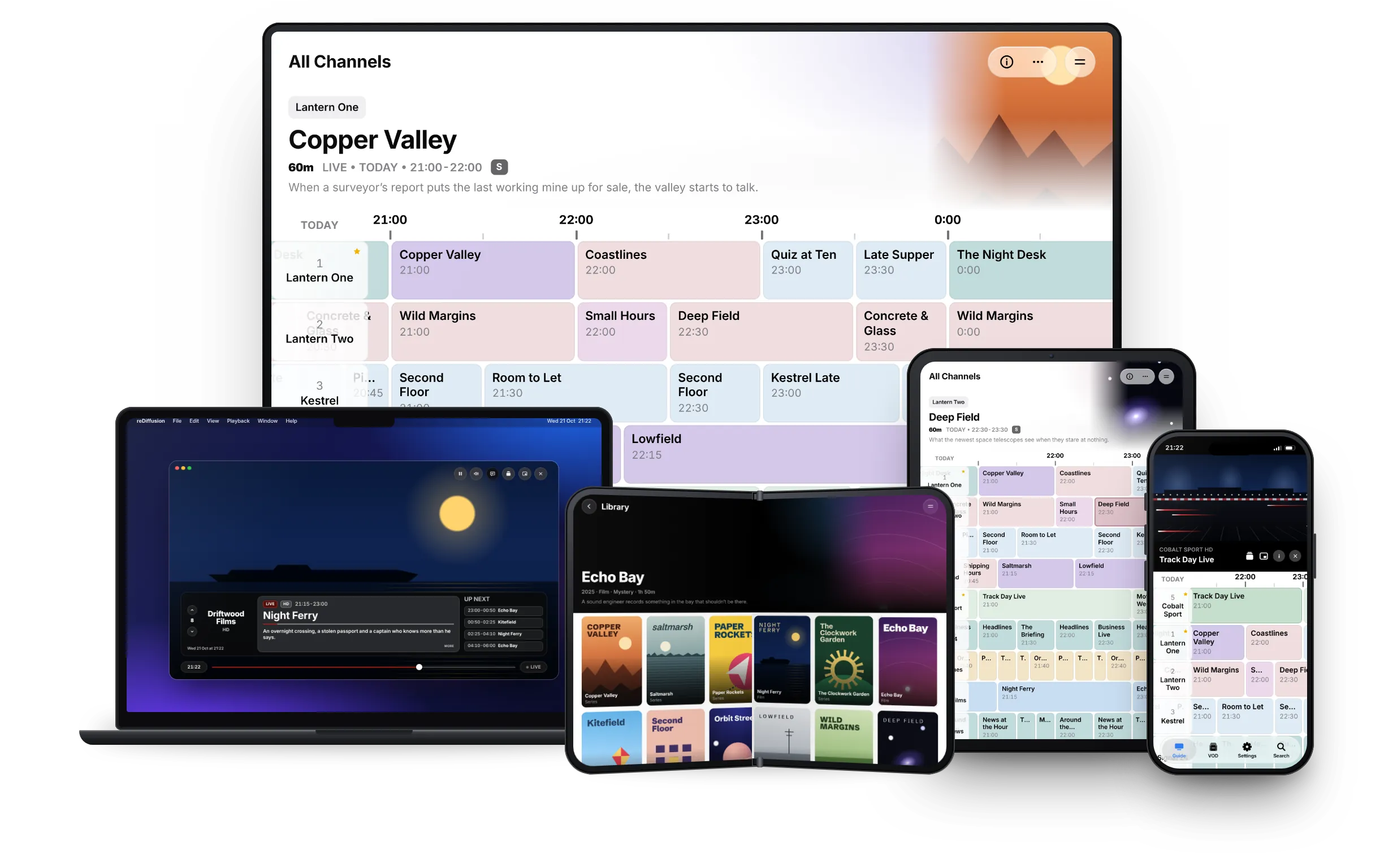
reDiffusion on Apple TV, Mac, iPhone Duo, iPad and iPhone: the programme guide on the TV and iPad, the player on Mac, the on-demand library on iPhone Duo and Play in Guide on iPhone reDiffusion on Apple TV, Mac, iPhone Duo, iPad and iPhone: the programme guide on the TV and iPad, the player on Mac, the on-demand library on iPhone Duo and Play in Guide on iPhone

Live TV, Your Way

  • SAT>IP
  • HDHomeRun
  • IPTV
  • Xtream Codes

Add your own channels from a range of sources. The programme guide allows you to curate your sources and browse in a similar style to your old set-top box. Set your favourite channels and programme reminders, and catch up on programmes you’ve missed.

All Channels
Lantern One
The Night Desk
60mLIVE • TODAYS

Headlines, weather and the stories still developing overnight.

Feature-packed live TV

Lantern One
The Night Desk

Playback
Live Buffer
Live Buffer
Buffer Length

When On, live playback keeps a rolling local buffer for the watched channel and shows a rewind scrubber in the player.

Channels

    VOD

      Lantern One
      The Night Desk
      60m LIVE • TODAY

      Headlines, weather and the stories still developing overnight.

      Loft Aerial
      Channel Matching
      Match tuner to EPG channels

        Select tuner categories, apply actions, then refresh streams to rebuild the channel list.

        0 selected

        This app does not provide any sources by default. You must add your own sources.

        On Demand.

        • Plex, Emby and Jellyfin
        • Network shares
        • Cloud drives
        • Local folders

        Integrate your media libraries and download media to watch on the go.

        Copper Valley
        2025 · Series · Drama · Mystery

        When a surveyor’s report puts the last working mine up for sale, a valley that has kept its secrets for a century starts to talk.

        2022 · Movie · Thriller · 105m

        An overnight crossing, a stolen passport and a captain who knows more than he says. Halfway across, a passenger vanishes, and the only person who remembers her is the nurse in the next cabin.

        2025 · Series · Drama

        When a surveyor’s report puts the last working mine up for sale, a valley that has kept its secrets for a century starts to talk.

        Resume S02E03
        Episodes
        • fanart.tvConnected
        • Media CatalogueConnected
        • OpenSubtitlesDisconnected
        • Skip MarkersConnected

        Intuitive Player Overlays

        S02E03 - Night ShiftUHD
        Copper Valley
        13:52 -38:08

        Programme Info
        5Cobalt Sport HD
        LIVE21:00-23:00
        Track Day Live
        UP NEXT
        23:00-23:30Motor Weekly
        23:30-00:30Ringside Classics

        AirPlay

        Playing on “Living Room”

        Copper Valley · S02E03

        Set up once. Sync to all devices.

        Sync via iCloud, SIMKL, Watcharr or Yamtrack.

        Powered by AetherEngine

        reDiffusion uses AetherEngine. This highly capable engine is able to play nearly all formats.

        • VideoH.264, HEVC, AV1, VP9, MPEG-2 and VC-1, decoded in hardware where your device supports it
        • HDRHDR10, HDR10+, Dolby Vision (including Profile 7 dual-layer) and HLG
        • AudioDolby Atmos and DTS:X object audio, rendered for your speaker layout, with switchable audio tracks
        • Live TVDeinterlacing for broadcast channels and fast channel changes
        • SubtitlesText, image-based and teletext subtitles

        Every feature

        Everything reDiffusion does, at a glance. It plays the sources you add and provides no content of its own.

        Devices and sync

        • Native apps for iPhone, iPad, Mac and Apple TV
        • iPad layouts on foldables and in Split View, and folded and unfolded layouts on iPhone Duo
        • Settings, sources, guides, channel matches, favourites, reminders, watch progress and sign-ins sync through iCloud, end-to-end encrypted
        • Passwords and keys stay in your keychain
        • Quick Setup picks a guide and a tuner, scans the channels and matches them in one go. Apple TV can copy everything from a device you’ve already set up

        Live TV sources

        • Xtream Codes, with categories, the catch-up archive and its on-demand library
        • M3U and M3U8 playlists
        • HDHomeRun tuners, found on your network
        • SAT>IP servers, with channel lists for your region and satellite position
        • Choose categories for each tuner, turn channels on or off, rescan on a schedule and merge streams across tuners

        TV guide

        • XMLTV guides from any address, from your tuner, or from a catalogue of regional presets with a licence
        • A classic grid with a pinned channel column, time ruler and now line, 24 hours of history and up to seven days ahead
        • Genre colours, adjustable zoom and row height, and channel logos
        • Favourites, categories, and search across channels and programmes
        • Number keys jump to a channel on Apple TV
        • Programme details with artwork, series and episode information
        • Reminders with notifications, kept in step across your devices
        • Channels matched automatically by number, guide ID and name, which you can override or run again
        • The guide returns to the current time after sleep or a long watch, and keeps your place after a quick hop away
        • Guides refresh in the background on a schedule

        Watching live TV

        • Hardware and software decoding for MPEG-2, H.264 and HEVC, with deinterlacing and fast channel changes
        • Play in Guide above the grid or full screen, switching between them as you rotate
        • Picture in Picture on every device, including automatically when you leave the app
        • AirPlay, with a live relay that converts streams a receiver can’t play itself
        • A live buffer for unsteady connections
        • Smart Reconnect retries a dropped stream and falls back to the channel’s other sources
        • Catch-up plays past programmes from the archive on Xtream sources
        • Record to a folder of your choice on Mac
        • Choose between a channel’s sources in the player
        • Lock Screen and Control Centre controls, Siri shortcuts to play a channel or open the guide, and channels and titles in Spotlight

        Subtitles

        • DVB subtitles and teletext captions on live TV, HD included
        • SRT, WebVTT, ASS/SSA, PGS and DVD subtitle tracks on demand
        • Find and download subtitles from OpenSubtitles in the player. All you need is an account
        • Subtitles on by default, in your preferred language

        Picture and sound

        • Dolby Vision Profile 7 dual-layer
        • Dolby Atmos and DTS:X object audio, rendered for your speaker layout
        • Inverse telecine for film-based broadcasts
        • 4K HEVC through the system player

        Watch progress

        • SIMKL, signed in with a code
        • Watcharr, self-hosted
        • Yamtrack, self-hosted, through its Jellyfin webhook

        On demand

        • Libraries from Xtream, Jellyfin, Emby, Plex, network shares, cloud drives and local folders, in one catalogue
        • Films, and series with seasons and episodes. Search every library at once, filter categories by language, and see duplicates as one title with a choice of stream
        • Titles, descriptions, posters, backdrops, logos and episode stills from the Media Catalogue add-on, with fanart.tv for extra artwork. Fix a match by hand
        • Continue Watching, resume points, watched status and the next episode, with watched status brought in from your media servers
        • Skip Intro, Skip Recap and Skip Credits from community markers, and a Next Episode prompt with autoplay
        • Scrub previews, and a preferred quality across sources
        • Downloads to watch offline, with storage and mobile data options
        • An Up Next widget, and Top Shelf on Apple TV

        Look and controls

        • Light, dark or match the system, with Liquid Glass on current releases
        • Keyboard controls with your own key bindings on Mac and iPad
        • Portrait lock on iPhone
        • Choose where the app opens, and hide Live TV or On Demand if you don’t use it

        Licence and upkeep

        • An optional licence key unlocks the catalogue of guide presets. It follows your iCloud account across devices, with seven days’ grace if the server can’t be reached
        • Clear the on-demand or guide caches, or reset the app
        • Built-in diagnostics for playback, tuning and guide timing

        Start with one source. Add the rest whenever you like.

        reDiffusion runs on iPhone, iPad, Mac and Apple TV.

        Coming soon to the App Store
        Add Live TV

        Adds a TV guide and its tuner in one go.

        Add Video on Demand

        Adds a library from a media server, folder, share or cloud drive.